Getting Started
This guide covers the basics of using lightshow.lol with a Mobile Device, to use lightshow.lol with a Computer see Getting Started on PC.
In order to use iOS or an Apple device, you must download a bluetooth enabled web browser from the app store, for example: Bluefy.
Mobile and Bluetooth are still beta, please report any bugs on our Discord.
Mobile Instructions
To begin using lightshow.lol on a Mobile Device first note the compatible devices:
- Chromadeck
- Spark Orbit / Handles
Only these two devices are capable of Bluetooth connectivity.
If you’re looking to program a Duo via a Chromadeck then continue reading.
Bluetooth cannot perform firmware updates, only USB to a PC can update the firmware of a device!
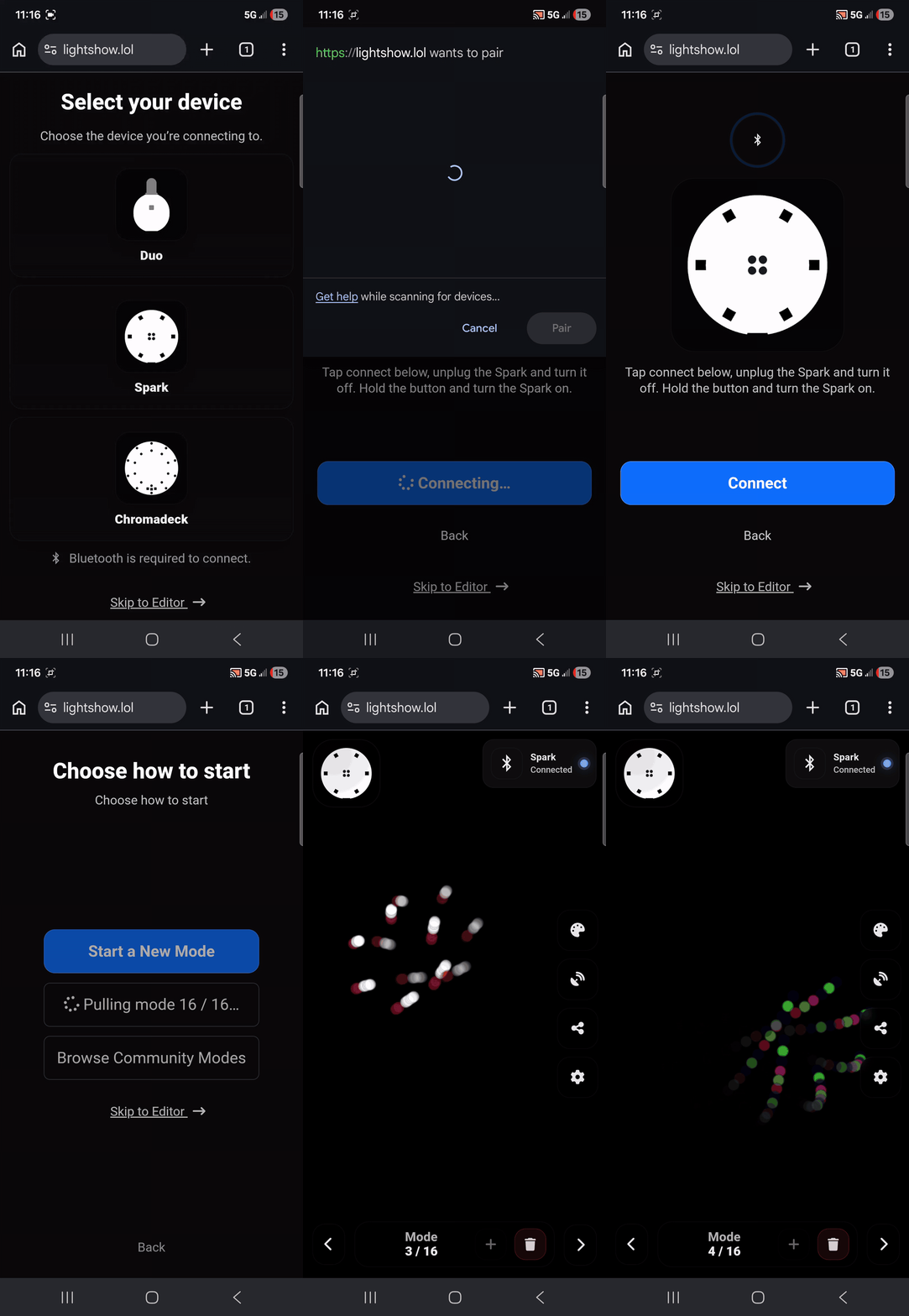
To begin start with these steps
- Ensure the device is up-to-date (use a PC)
- Switch the device off and unplug it from USB
On lightshow.lol with a Mobile Device:
- Select the device you wish to program – either a Chromadeck, Spark, or Duo.
- Click the Connect button to open the Bluetooth Device list
- Now switch the device on and it should appear in the list
Select the device from the list and it should connect.
If everything is set up correctly, you should see a success notification and you should now be able to control the device similar to a PC.
Programming a Duo
To program a duo with lightshow.lol follow the Duo Programming Guide
What to do next
Frome here, common next steps are:
- Browsing The Community for inspiration and collaboratiobn
Try any combination of these options to create the ultimate device for you!